Close Menu
Tech News VisionTech News Vision
  • Home
  • What’s On
  • Mobile
  • Computers
  • Gadgets
  • Apps
  • Gaming
  • How To
  • More
    • Web Stories
    • Global
    • Press Release

Subscribe to Updates

Get the latest tech news and updates directly to your inbox.

Trending Now
Bidets Are Confusing Visitors at the 2026 Winter Olympics

Bidets Are Confusing Visitors at the 2026 Winter Olympics

10 February 2026
ZA/UM’s New RPG Is Similar To Disco Elysium Because ‘We’re Still the Same People’

ZA/UM’s New RPG Is Similar To Disco Elysium Because ‘We’re Still the Same People’

10 February 2026
Discord’s age verification mandate is a leap toward a gated internet

Discord’s age verification mandate is a leap toward a gated internet

10 February 2026
Facebook X (Twitter) Instagram
  • Privacy
  • Terms
  • Advertise
  • Contact
Facebook X (Twitter) Instagram Pinterest VKontakte
Tech News VisionTech News Vision
  • Home
  • What’s On
  • Mobile
  • Computers
  • Gadgets
  • Apps
  • Gaming
  • How To
  • More
    • Web Stories
    • Global
    • Press Release
Tech News VisionTech News Vision
Home » Protecting Digital Privacy: CEO Alona Shevtsova on Leo Messenger’s Advanced Security
Global

Protecting Digital Privacy: CEO Alona Shevtsova on Leo Messenger’s Advanced Security

News RoomBy News Room13 September 2024No Comments
Facebook Twitter Pinterest LinkedIn Tumblr Email
Protecting Digital Privacy: CEO Alona Shevtsova on Leo Messenger’s Advanced Security

Disappearing messages, archiving, two-factor authentication, and more — keeping conversations safe in the digital era

As digital communication continues to dominate how we connect, ensuring our conversations remain private and secure is more critical than ever. The secured messaging platform Leo Messenger is at the forefront of this shift, offering users an unparalleled suite of privacy-focused features. Designed for both personal and business use, Leo Messenger ensures that sensitive conversations and data stay protected with cutting-edge technology.

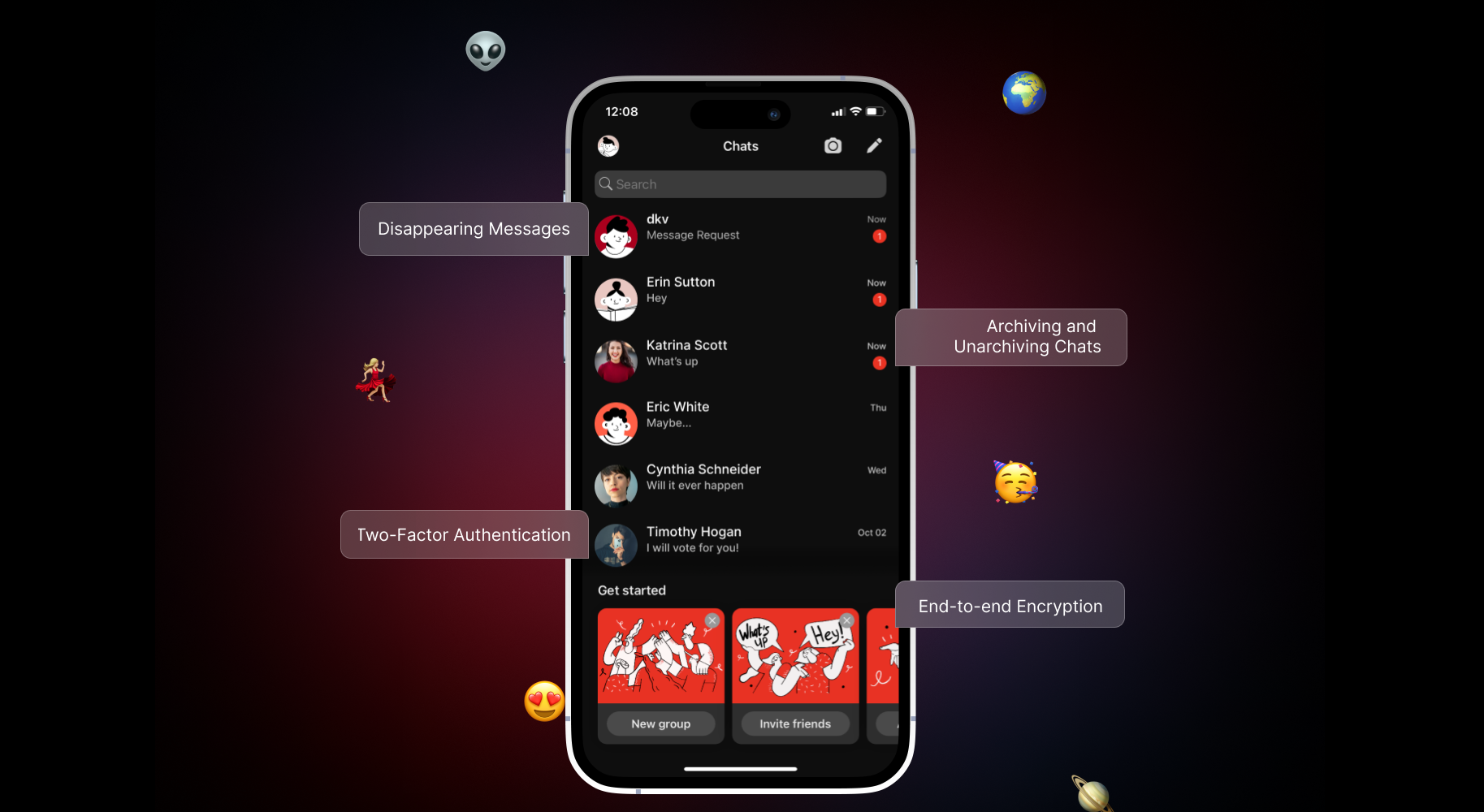
Leo Messenger’s security infrastructure introduces privacy tools aimed at empowering users to maintain control over their communications:

  • Disappearing Messages: This feature allows users to set a time limit for how long their messages remain visible. Once the timer runs out, the message is automatically deleted, leaving no trace behind.
  • Archiving and Unarchiving Chats: Leo Messenger allows users to easily archive and unarchive chats to help them manage their conversations while maintaining security. Archived chats are stored securely, and users can retrieve them anytime.
  • Two-Factor Authentication (2FA): In addition to strong encryption, Leo Messenger offers two-factor authentication for an extra layer of security. By requiring users to verify their identity through a second method, such as a mobile number or email code, the app prevents unauthorized access to user accounts.
  • End-to-end Encryption: Every message, call, and file sharing through Leo Messenger is protected by end-to-end encryption. This ensures that only the intended recipient can view or listen to the content, making it impossible for third parties, including Leo Messenger, to access the conversation.
  • Secure Backup and Cloud Sync: Leo Messenger provides a secure backup option, allowing users to save their chat history to an encrypted cloud platform. This guarantees that conversations can be restored safely and securely without compromising user data, even in the event of device loss or damage.

“Security and privacy are at the heart of Leo Messenger,” said Alona Shevtsova, CEO of Leo Messenger. “We understand users’ concerns about data breaches, third-party access, and cyberattacks, which is why we’ve incorporated robust security measures into every aspect of our platform. Leo Messenger gives users the control they need over their information while ensuring that no unauthorized party can access their conversations.”

With a growing number of data breaches and privacy violations across industries, Leo Messenger’s enhanced security features cater to the needs of individuals and businesses alike. The Leo Messenger app is free to download from the Apple Store and Google Play markets.

For more information, visit: https://leomessenger.app/

Name: Yevhen Novyk

Marketing Department contacts: [email protected]
Address: Covent Garden, London, England WC2H 9JQ, GB.

Share. Facebook Twitter Pinterest LinkedIn Tumblr Email

Related Posts

What 20+ Years in Distressed SMEs Teaches You About Survival

What 20+ Years in Distressed SMEs Teaches You About Survival

25 December 2025
PAIO introduces Garmin Pay as an additional alternative payment method

PAIO introduces Garmin Pay as an additional alternative payment method

5 December 2025
Goldman Markets Review – Trusted, Secure Trading with Beginner-Friendly Tools

Goldman Markets Review – Trusted, Secure Trading with Beginner-Friendly Tools

19 November 2025
Why More Small Businesses Are Turning to Local Threads for Brand-Boosting Apparel

Why More Small Businesses Are Turning to Local Threads for Brand-Boosting Apparel

17 November 2025
Editors Picks
Microsoft wants to rewire data centers to save space

Microsoft wants to rewire data centers to save space

10 February 2026
ICE Is Expanding Across the US at Breakneck Speed. Here’s Where It’s Going Next

ICE Is Expanding Across the US at Breakneck Speed. Here’s Where It’s Going Next

10 February 2026
‘Next Game in the Making’: Split Fiction Director Josef Fares Posts Set Photo Which Fans Think is a 3-Player Hint

‘Next Game in the Making’: Split Fiction Director Josef Fares Posts Set Photo Which Fans Think is a 3-Player Hint

10 February 2026
Autodesk is suing Google over the name of its Flow AI videomaker

Autodesk is suing Google over the name of its Flow AI videomaker

10 February 2026

Subscribe to Updates

Get the latest tech news and updates directly to your inbox.

Trending Now
Tech News Vision
Facebook X (Twitter) Instagram Pinterest Vimeo YouTube
  • Privacy Policy
  • Terms of use
  • Advertise
  • Contact
© 2026 Tech News Vision. All Rights Reserved.

Type above and press Enter to search. Press Esc to cancel.